Skip to content
Triplett Full Product Catalog: Volume 27 Now Available

Country

Portable 7" HD TFT LCD Monitor: 4K Security Camera Test Monitor - (HDCM-4K)

SKU HDCM-4K
6 14395 00193 3
Original price $263.99 - Original price $263.99
Original price
$263.99
$263.99 - $263.99
Current price $263.99

Extended Lead Time: Up to 11 business days for NIST Calibration

Product Information

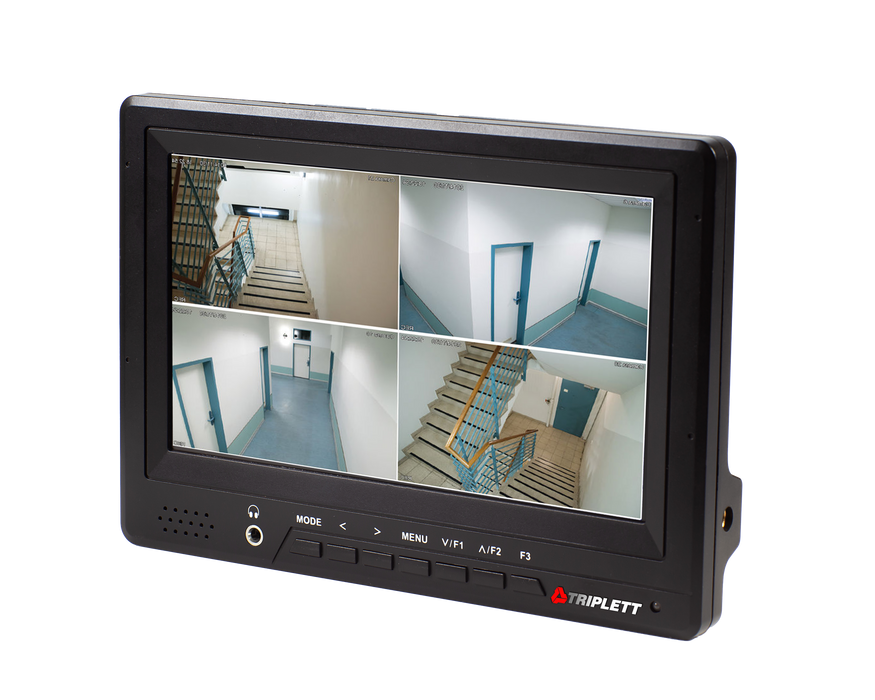
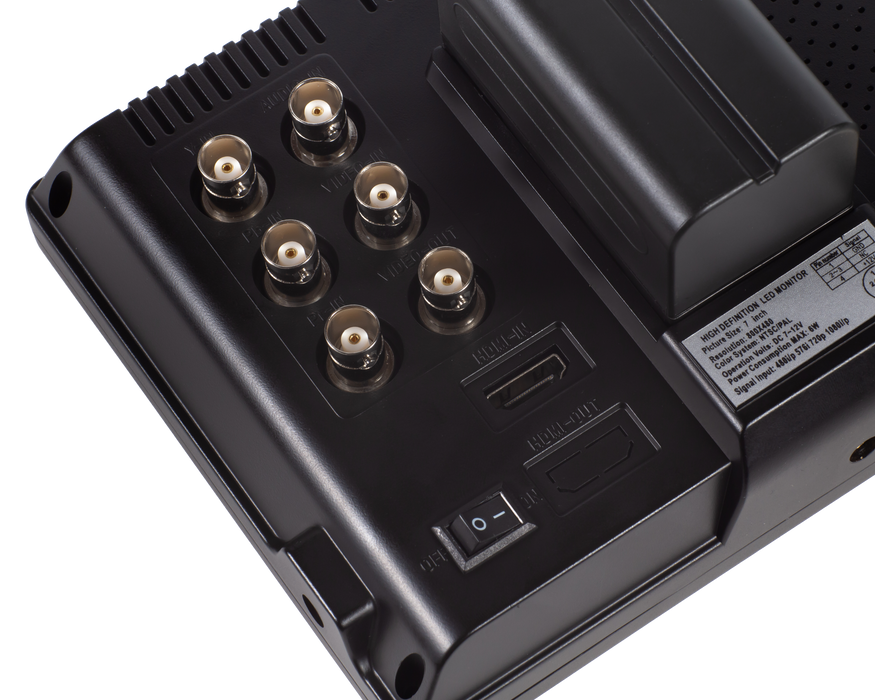
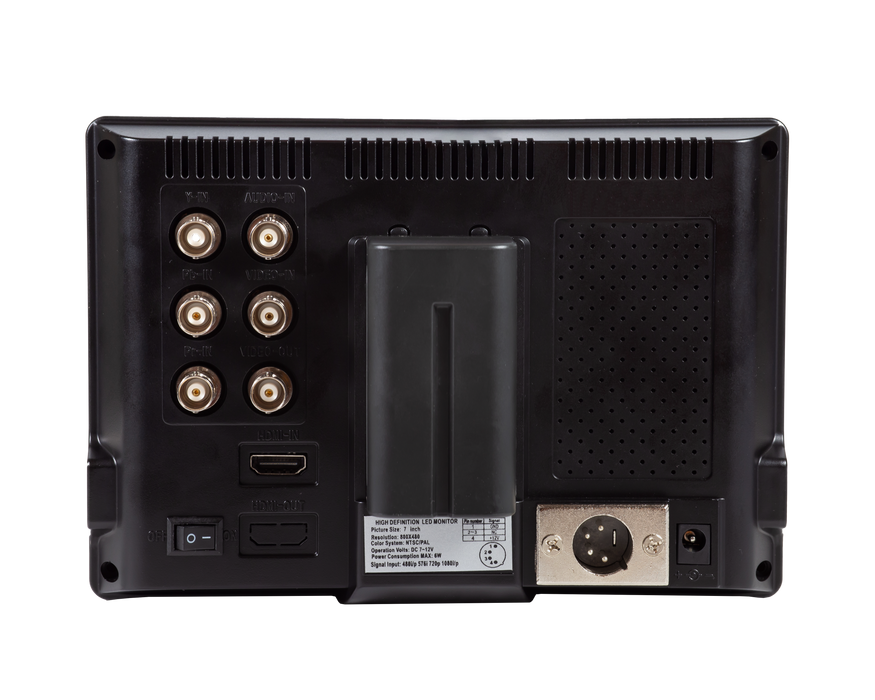
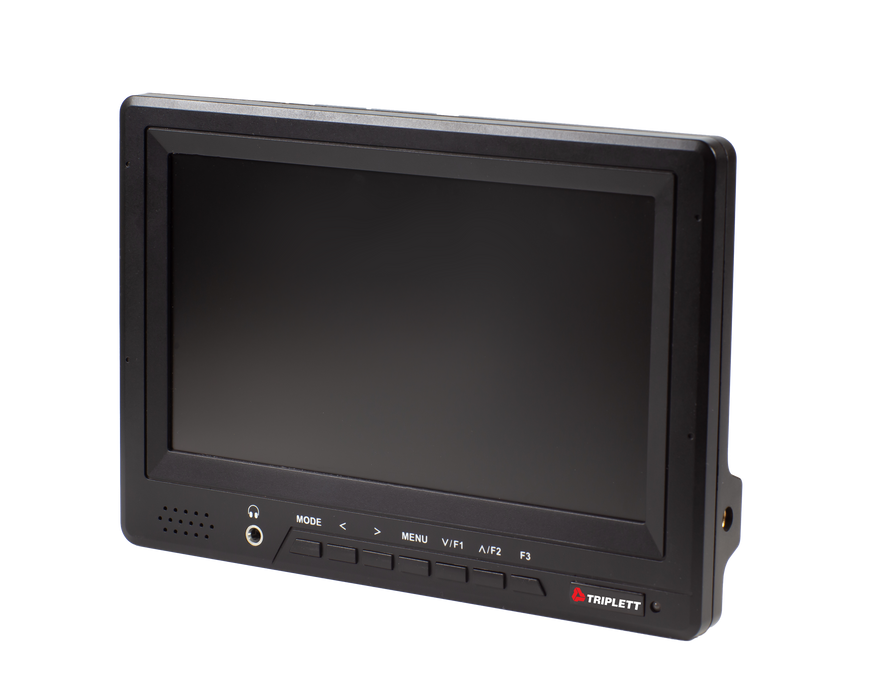
The Triplett HDCM-4K is a 7” HD TFT LCD monitor with 1920 x 1080P and 1.4 HDMI. It connects using HDMI, Composite BNC-In/BNC-Out, and Component BNC. AC powered or uses an externally mounted, easily swapped rechargeable battery. It can be used for temporary or permanent connection to any NVR, DVR, Cable/Satellite box, computer, or other video source that has an HDMI or BNC connection. Use with Security Cameras during setup, testing, and monitoring;  DVRs, Cable/Satellite TV boxes, and DVD Players; Computers and Laptops as a second monitor; DSLR Cameras as a second screen while broadcasting live events; Raspberry PI Projects, and much more. Versatile stand allows placement on top of desk or DVR/NVR, mounting to wall, or mounting to IT cabinet or server rack. Includes wall-, desk-, or rack-mountable stand, AC adapter, rechargeable battery and external charger. 1 year warranty.


CATEGORY: CCTV TEST MONITOR

  • 7” HD TFT LCD monitor with 1920 x 1080P and 1.4 HDMI
  • Connects using HDMI, Composite BNC-In/BNC-Out, and Component BNC
  • AC powered or uses an externally mounted, easily swapped rechargeable battery with external battery charger
  • Compact and light weight
  • Wall-, desk-, or rack-mountable

High Definition 4K Resolution security secondary monitor

monitor with HDMI, Composite BNC-In/BNC-Out, and Component BNC connections

mobile security camera monitor batter powered

High Definition 4K Resolution

The Triplett HDCM-4K is a 7" HD TFT LCD security test monitor with 1920 x 1080P and 1.4 HDMI. Perfect for use with security cameras during setup, testing, and monitoring.

HDMI, Composite BNC-In/BNC-Out, and Component BNC

Use for temporary or permanent connection to any NVR, DVR, cable/satellite box, or other video source that has an HDMI or BNC connection. Use with computers and laptops as a second monitor, DSLR cameras as a second screen while broadcasting live events, Raspberry PI projects, and much more.

AC or Battery Power

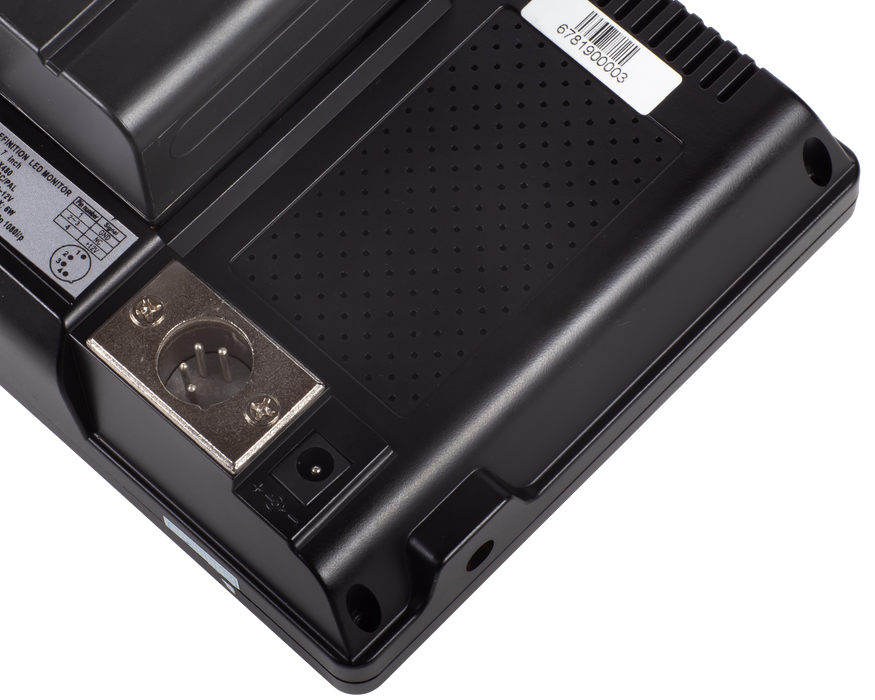
The Triplett HDCM-4K is AC powered for permanent setups or uses an externally mounted, easily swapped rechargeable battery with external battery charger for portable convenience.

wall desk rack-mountable mini security monitor

Wall-, Desk-, or Rack-Mountable

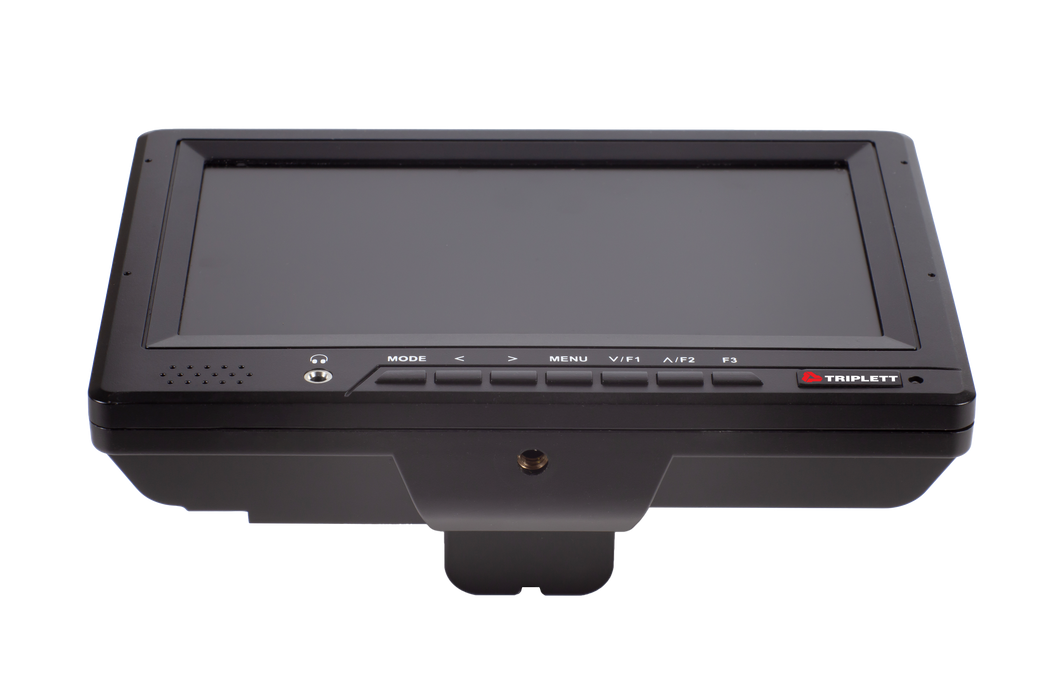
Included stand allows versatile placement on top of a desk or DVR/NVR, mounted to a wall, or mounted to an IT cabinet or server rack.

  HDCM-4K
Screen Size 7” TFT LCD
Backlight Lamp LED Backlight
Resolution 800 xx 480 up to 1920 x 1080
Aspect Ratio 16:09
Brightness 450cd/m2
Contrast 500:01:00
Viewing Angle 70°/70° (L/R), 50°/70° (U/D)
Display Mode 480i/p, 576i/p, 720p (50/60Hz) PAL/NTSC
Software Functions Canon 5D II Camera Mode, Center Marker, Screen Marker, Aspect Ratio, Color Mode, Underscan/Overscan
Function Keys Left, Right, Menu, Up, Down, Mode, Power
Audio 1 BNC input; 3.5mm earphone jack; Built-in 1W speaker in front panel
Power 100 to 240VAC, rechargeable battery, or 12VDC (XLR Connector)
Dimensions/Weight 7.4 x 5.2 x 1.2” (188 x 130.7 x 31mm) / 1lb (0.45kg)
  • Wall-, desk-, or rack-mountable stand,
  • AC adapter
  • Rechargeable battery
  • External charger
For the Ring outdoor camera, they're primarily wireless. Typically, you'd require an NVR (Network Video Recorder) to first establish a connection with the camera. Afterward, you can connect the HDCM3 to the NVR for it to function. However, if the camera comes with a BNC port, you can directly link the camera to the HDCM3 without needing an NVR.
A 4K monitor for security cameras is a display device that assures 4K resolution - 3840 x 2160 pixels. These monitors ensure clearer and more detailed images compared to standard HD monitors.
There are several benefits of using a 4K monitor for security cameras. The following pointers will help you understand it better.
  • 4K security monitors enable clarity for security personnel to better identify license plates, faces, and other details.
  • They can be used in large properties to monitor a wide area, saving on multiple cameras or monitors.
  • Many organizations upgraded to 4K cameras several years ago and have now switched to 4K monitors for security cameras for perfect synchronization.
  • Using a 4K security monitor enables compatibility with current and future high-resolution camera technologies.
  • The high pixel count of these monitors enables effective zooming without losing image clarity, allowing users to zoom into particular areas of the footage for clarity.
  • A 4K security monitor helps security personnel increase their situational awareness, making accurate, informed decisions to avoid potential security incidents.
Yes, you can connect a 4K monitor to wireless and wired cameras that support 4K resolution.
This would depend on the size depends on the area under security surveillance and personal preferences. However, we recommend a 27-inch or 32-inch monitor for most security applications.
The Triplett HDCM 4K supports composite BNC-in/BNC-out, HDMI, and component BNC connections.
Yes, you can use an externally mounted or AC powered battery to power this Triplett HDCM 4K security monitor.
Triplett HDCM 4K monitors have multiple uses besides security surveillance. They can be paired with DVRs, cable/satellite TV boxes, DVD players, used as a second screen for DSLR cameras during live event coverage, or as a second monitor for laptops and computers.
Yes, you can use the Triplett HDCM 4K Monitor for permanent and temporary setups.
The Triplett HDCM 4K security monitor has a desk, wall, or rack mountable stand. It comes with an AC adapter, external charger, and a rechargeable battery.
There are several things to consider when choosing a 4K monitor for security cameras. You must check for the following features.
  • The monitor you choose must support 4K resolution.
  • The size of a monitor must be appropriate for the area where it will be used. Using the monitors with a 16:9 aspect ratio is perfect for security zones where multiple feeds may be used.
  • Focus on the color accuracy reprised by the 4K security monitor. This would help you accurately identify the activities and subjects in security footage.
  • Ensure the monitor you choose has appropriate ports to connect to your security system. For instance, you can check if it can support DisplayPort, HDMI, and BNC connectors for specialized security systems.
  • Focus on the brightness and contrast to ensure clarity in different lighting conditions.
  • Focus on the type of panel such as VA, TN, and IPS that affects the color accuracy, viewing angles, and response times. The IPS panels are known to assure better color reproduction and wide viewing angles.
  • Consider the power requirements of 4K monitor for security cameras. Since they operate continuously, you must focus on energy efficiency.
  • Focus on features such as remote control capabilities, built-in speakers, as well as zooming capabilities.
  • Focus on the pricing and the warranty support offered by the manufacturer.
Yes, it is possible to connect multiple cameras to the Triplett HDCM-4K monitor or other 4K monitors. However, you need to check for enough inputs to support all the cameras.
The Triplett HDCM-4K monitor comes with a 1-year warranty.
No, you won’t require any special software to view security camera footage on a 4K monitor. Most cameras produce video feed in a standard format, which can be displayed on any monitor with an HDMI input port.
 Need Help? Our experts are here to help you 
Contact Us