Skip to content
Triplett Full Product Catalog: Volume 27 Now Available

Country

CamView IP Pro- X™ HD Full Touch Screen Display IP and Analog Security Camera Tester - (8075)

Best Seller
Free Shipping*
SKU 8075
614395002374
Original price $1,205.00 - Original price $1,205.00
Original price
$1,205.00
$1,205.00 - $1,205.00
Current price $1,205.00

Extended Lead Time: Up to 11 business days for NIST Calibration

Product Information

The CamView IP Pro-X  is designed for the installation and maintenance of analog SD, analog HD and network HD video surveillance systems. It will guide you through a step-by-step process to test the functionality of IP cameras, whether they are connected to an existing network or directly attached to the Tester. You can adjust the camera’s settings, and record still images or video from the selected camera. You can also check the audio signal from the camera if it is equipped with a microphone. If the camera is directly connected, the Tester will provide POE voltage to power the camera. Comes complete with (2) Li-ion batteries, Universal AC adapter/charger with 4 plugs, Ethernet cable, BNC/BNC cable, microUSB to USB cable, RS485 cable with extra screw terminal, audio cable, 12V camera power cable, lanyard and carrying case.

CATEGORY: SECURITY CAMERA TESTERS

  • Works with SD Analog, AHD 3.0, HD-CVI 3.0, HD-TVI 3.0, H.264, H.265 IP, NTCS/PAL, and all ONVIF enabled IP cameras
  • USB, BNC, RJ45 and HDMI ports
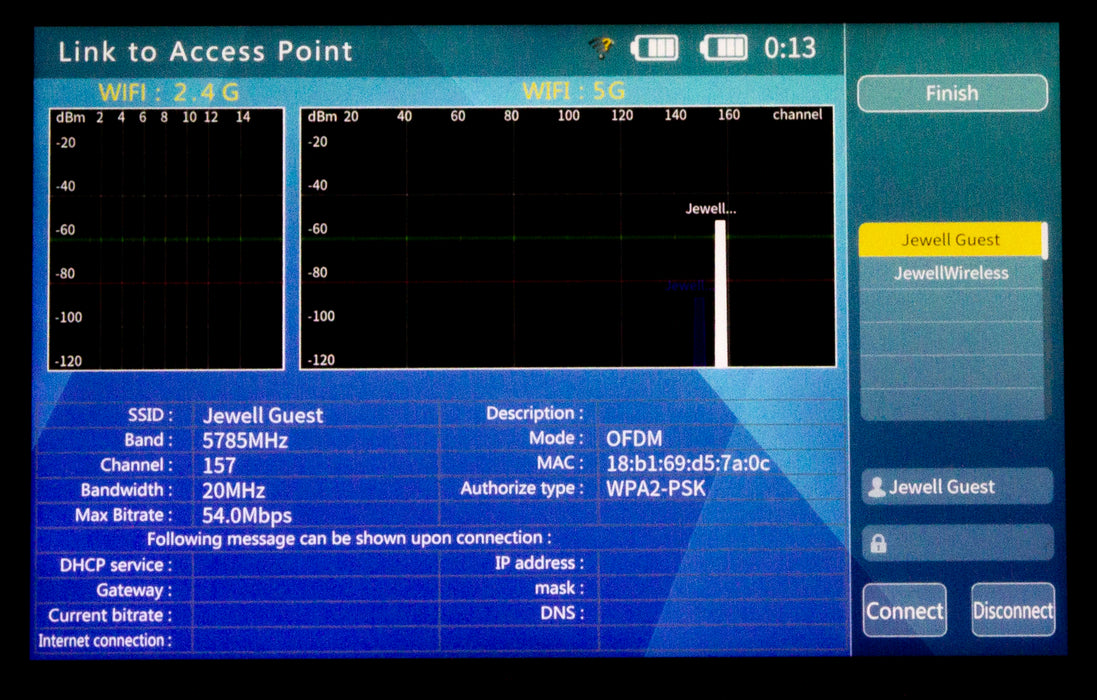
  • WiFi for connecting to WiFi cameras and to create a WiFi hotspot
  • 25W PoE and 12VDC camera outputs
advanced security camera cctv tester

Advanced Cable and Network Capabilities

The CamView IP Pro-X is designed for the installation and maintenance of analog SD, analog HD and network HD video surveillance systems.

Works with SD Analog, AHD 3.0, HD-CVI 3.0, HD-TVI 3.0, H.264, H.265 IP, NTCS/PAL, and all ONVIF enabled IP cameras.

  • USB, BNC, RJ45 and HDMI ports
  • 5W PoE and 12VDC camera outputs
  • 7" touchscreen
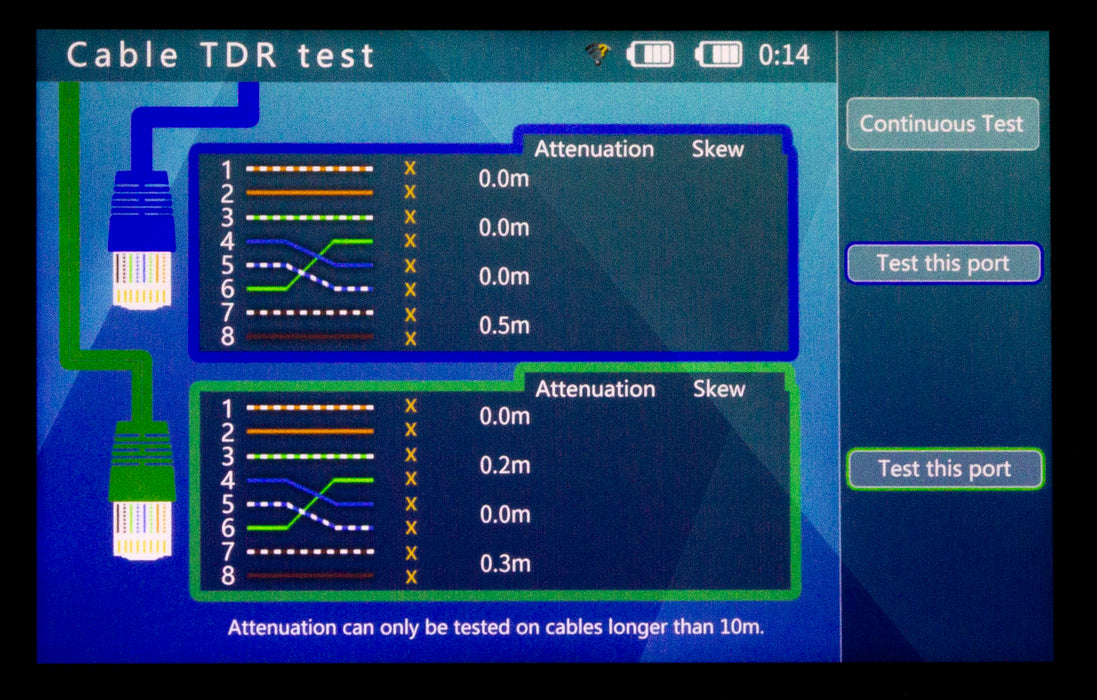
  • TDR and RJ45 Cable Test
  • Built-in video test image generator

Triplett Solutions for Every Contractor

USB, BNC, RJ45 and HDMI camera tester

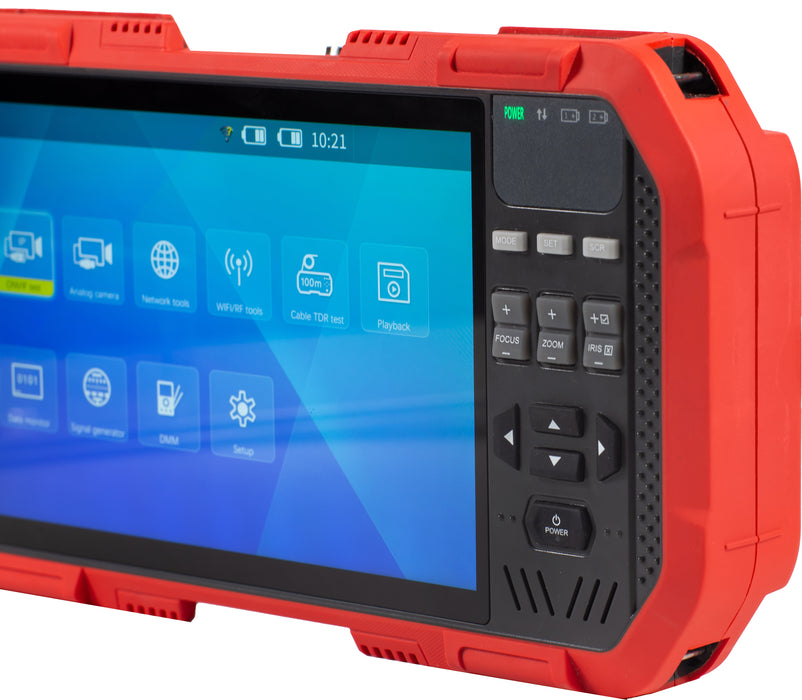
intuitive camera tester with touchscreen

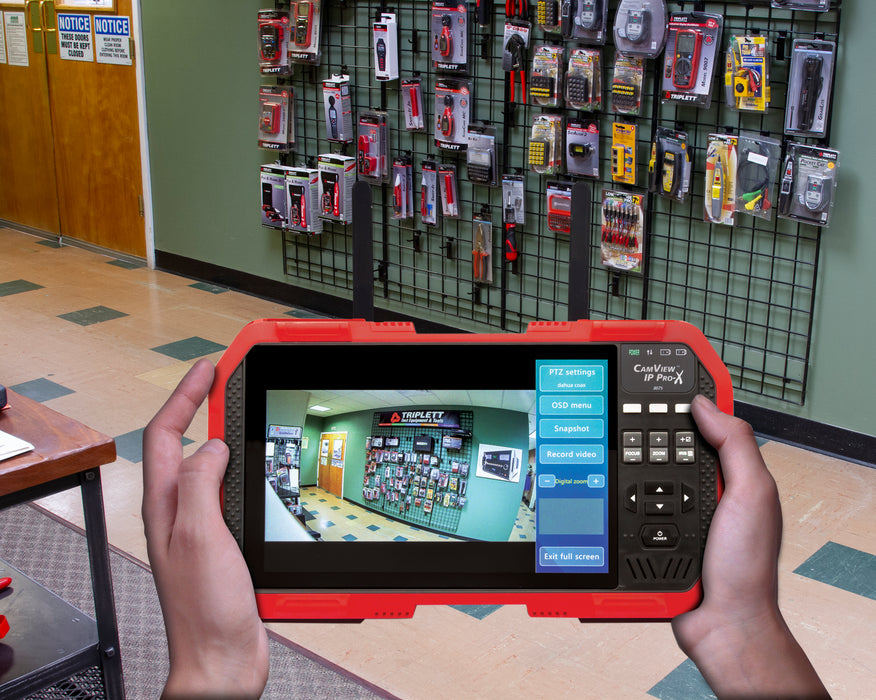
camera tester with point tilt zoom control and audio testing

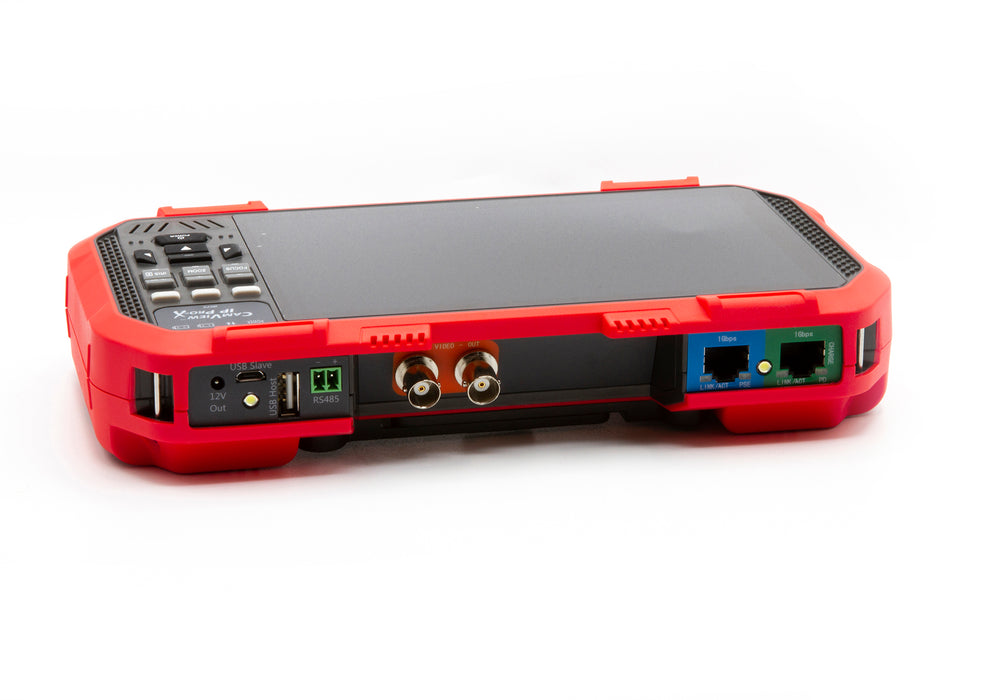
USB, BNC, RJ45 and HDMI Connections

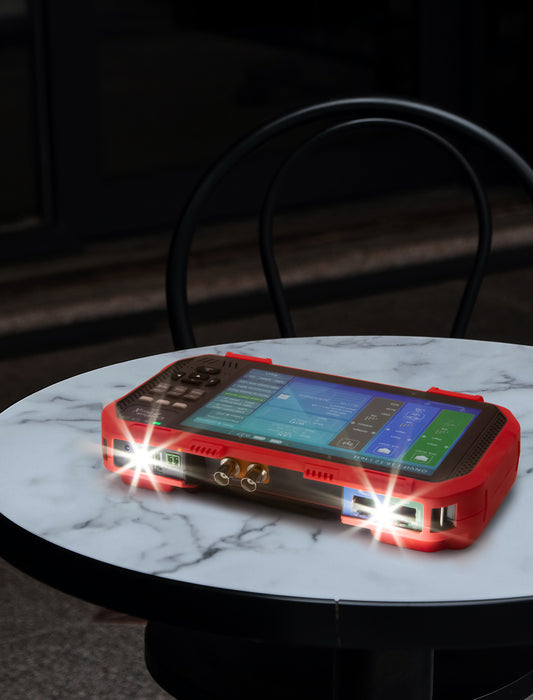
The Triplett CamView IP Pro-X features USB, BNC, RJ45 and HDMI ports as well as 25W PoE and 12VDC camera outputs.

Step-by-Step Testing

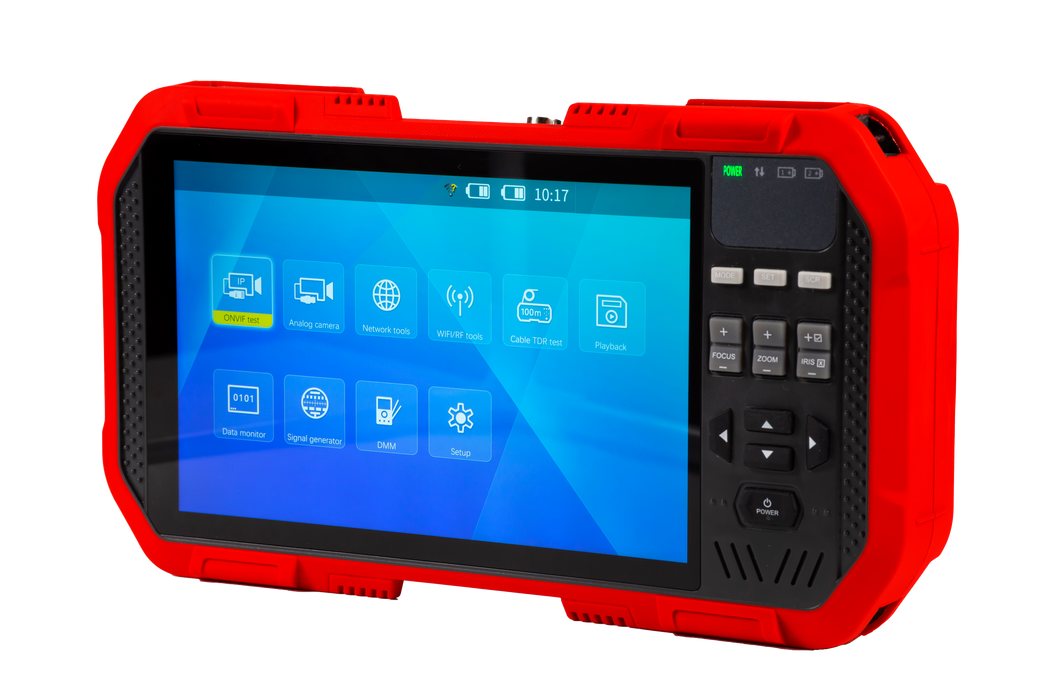
The 7" touchscreen guides you through a step-by-step process to test the functionality of IP cameras, whether they are connected to an existing network or directly attached to the Tester. Network Testing includes: Network Sniff, Subnet List and Ping Test.

RS485 PTZ Control and Audio Testing

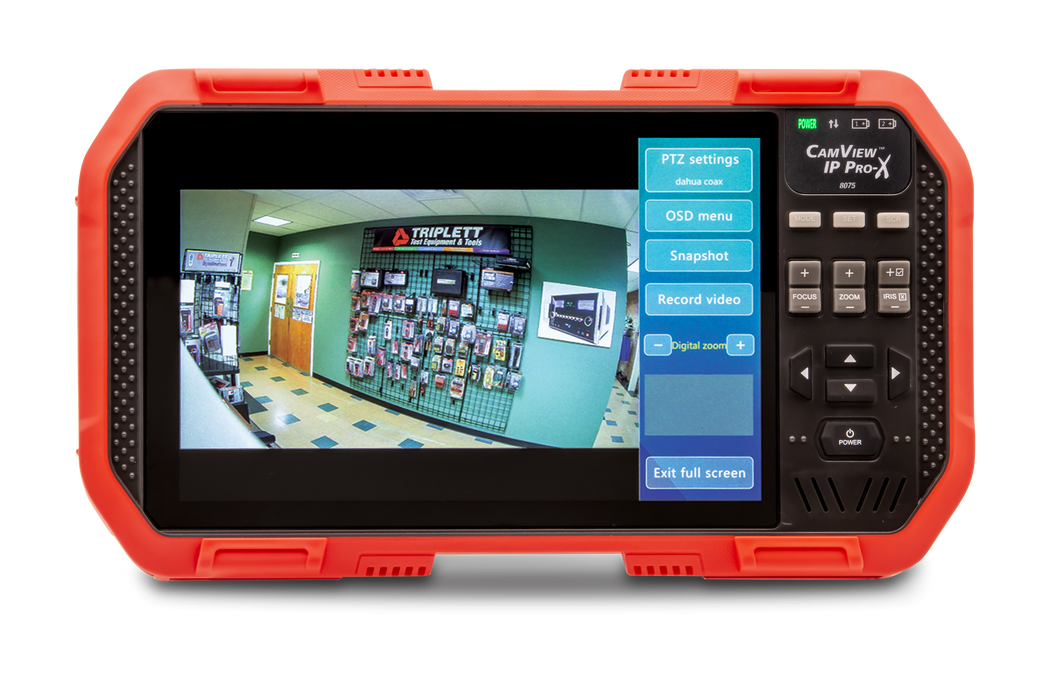
You can adjust the camera's settings and record still images or video from the selected camera. You can also check the audio signal from the camera if it is equipped with a microphone.

Save Time on the Jobsite and Have Confidence That the Installation is Done Right

ip and wifi camera test

camera tester with built-in DHCP Server

complete security camera tester

WiFi Cameras

WiFi for connecting to WiFi cameras and to create a WiFi hotspot.

Built-in DHCP Server

The built-in DHCP server allows you to set up IP cameras before the network is even wired. If the camera is directly connected, the CamView will provide POE voltage to power the camera.

What's in the Box

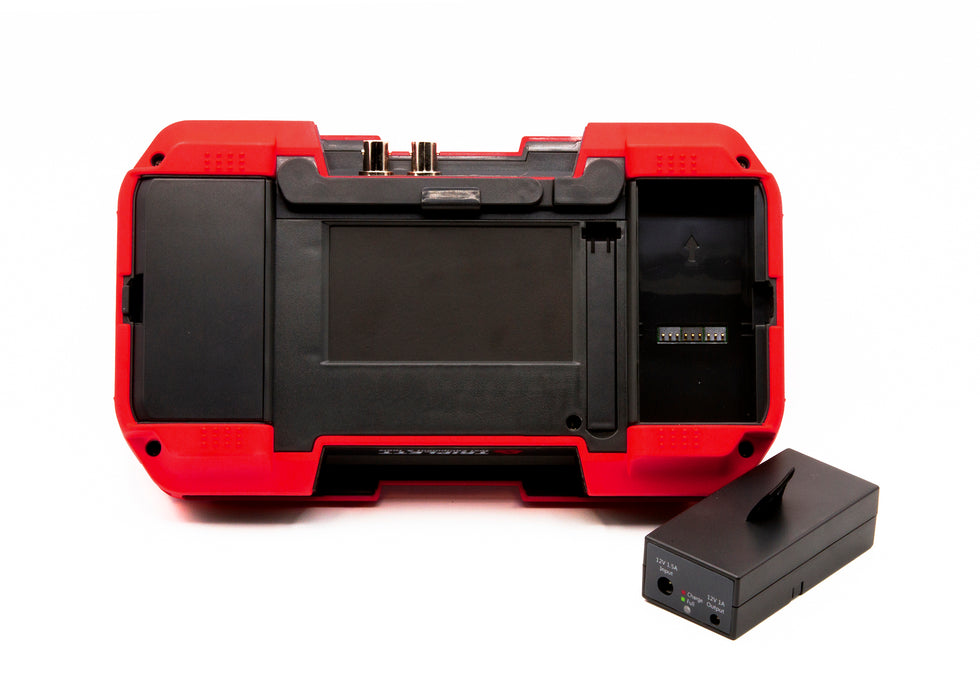
Comes complete with (2) Li-ion batteries, Universal AC adapter/charger with 4 plugs, Ethernet cable, BNC/BNC cable, microUSB to USB cable, RS485 cable with extra screw terminal, audio cable, 12V camera power cable, lanyard and carrying case.

CamView HD Pro (8065) CamView IP Pro-8W (8066) CamView IP Pro (8070) CamView IP Pro+ (8071) CamView IP Pro-D (8073) CamView IP Pro-X (8075)
Display 4" TFT 4" IPS Touchscreen 4" TFT 4" TFT 4" TFT 7" TFT Touchscreen
SD Analog ✓ ✓ ✓ ✓ ✓ ✓
AHD / CVI / TVI AHD 2.0 / CVI 3.0 / TVI 3.0 AHD 2.0 / CVI 3.0 / TVI 3.0 AHD 2.0 AHD 2.0 / TVI 2.0 AHD 3.0 / CVI 3.0 / TVI 3.0 AHD 3.0 / CVI 3.0 / TVI 3.0
IP (ONVIF Only) H.264 and H.265 H.264 H.264 H.265 H.264 and H.265
Record Snapshot and Video ✓ ✓ ✓ ✓ ✓ ✓
DHCP Server ✓ ✓ ✓ ✓ ✓
12VDC Output ✓ ✓ ✓ ✓ ✓ ✓
POE Output ✓ ✓ ✓ ✓ ✓
TDR Testing Ethernet Only Ethernet Only Ethernet Only Ethernet Only
Built-in DMM ✓
8075
IPC Protocol ONVIF, RTSP, RTP
Ethernet Test 10/100M/1G detect; Loop detect; DHCP client & server; traffic detect; datalink quality detect
IPC Test Discover the device, real time video, camera config, PTZ test, discover ONVIF device
WiFI Test Support 2.4G & 5G; WiFi connection; WiFi list; Delay detection; packet loss rate test
Spectrum Test Spatial frequency band signal scanning & detection; spatial noise signal detection
Poe Test power PSE test -The tester supplies power (25W) / PD test-receives the power (802.3af/802.3at)
Analog Video Test NTSC/PAL/HD-CVI 3.0/AHD 3.0/HD-TVI 3.0
Video In/Out BNCs; supports 8 level digital zoom
HDMI Signal Test Can receive 720p, 1080p
Can transmit various test images 720p & 1080p
12V Power Output 12V/2A output interface
TDR Test Test network cable (4 pair) length; Max 427 to 656ft (130 to 200m); Accuracy 3.3ft (1m)
Coaxial PTZ Control Test CVI protocol (Dahua); AHD protocol (Pelco c); TVI protocol (Hikvision)
485 PTZ test More than 30 protocols
Display 7” TFT touchscreen , 1920 x 1200, 16.7M colors
Power (2) Lithium-ion batteries; 10 hour work time
Dimensions/Weight 9.3 x 5.2 x 1.8” (236.5 x 133.4 x 45.4mm) / 2lbs (907g)
  • (2) Lithium-Ion Batteries,
  • Universal AC Adapter/Charger with (4) Plugs
  • Ethernet Cable
  • BNC/BNC Cable
  • MicroUSB to USB Cable
  • RS485 Cable with Extra Screw Terminal
  • Audio Cable
  • 12V Camera Power Cable
  • Lanyard
  • Carrying Case
To update the firmware on your CamView IP Pro-X 8075, connect the unit to an active network either via WiFi or an RJ45 cable. Then, access the setup menu and select "Check new" under the system upgrade options. Detailed instructions for this process can be found on Page 49 of the user manual, under the "system upgrade" section. This will guide you through the steps to ensure your device is running the latest firmware.
To update the CamView IP Pro-X 8075, it's recommended to use a Wi-Fi network emitted by a router or to connect directly to a network via the RJ45 port. We haven't tested updates via a mobile hotspot, and using a more stable network connection can help determine whether the issue lies with the network or the tester itself.
There's a reset button located at the bottom of the unit. Try pressing and holding it for about 10 seconds, then attempt to power on the device again. If this doesn't resolve the problem, it seems the unit may have a more significant issue and will likely need to be sent in for repairs.
User name and password information is not an error of the tester. This information is the camera only. Our testers do not have any passwords or user information requirements. If you are having trouble with passwords you need to contact the camera manufacturer or refer to their manual for default user name password information or details on any special set up specifications they may have for initializing their cameras.
Updates for the unit are performed by connecting the unit to a network via the rj45 port, going into settings, scrolling down to “System Upgrade” and hitting the right arrow. The unit will automatically look for any new updates available. This process id detailed in the user manual section 4.7.3.
When viewing analog cameras the format and pattern can be changed in the “Analog video generator” section of the main menu.
 Need Help? Our experts are here to help you 
Contact Us